PrintStation monitors a hotfolder and automatically prints every new image to your dye-sub printer. Try every feature free — pay $99 once when you're ready to remove the watermark.
Download PrintStation free from the Mac App Store. Every feature works — hotfolder monitoring, templates, face-aware cropping, all paper sizes. Prints during the trial carry a small watermark. Pay $99 once when you're ready to remove it.
Install from the Mac App Store. No credit card. No time limit.
Use every feature — for one event or one hundred. Prints carry a small watermark.
One $99 in-app purchase removes the watermark forever. No subscription.
Designed for photo studios, event photographers, and photo booth operators who need reliable, hands-free printing.
Point PrintStation at any folder. New images are detected instantly and sent to your printer — no manual intervention required.
WYSIWYG canvas editor with live preview. Design multi-image layouts, add borders, logos, and overlays — then save and reuse templates.
Uses Apple Vision to detect faces and intelligently bias cropping, so no one gets cut off — even in multi-image layouts.
Full bleed support for dye-sub printers like the DNP DS620 and Mitsubishi. Edge-to-edge prints, every time.
Supports 4×6, 5×7, 8×10, Letter, and A4. Switch between sizes and templates with a click.
Share print templates between machines in one click. Great for multi-station event setups and standardizing prints across a team.
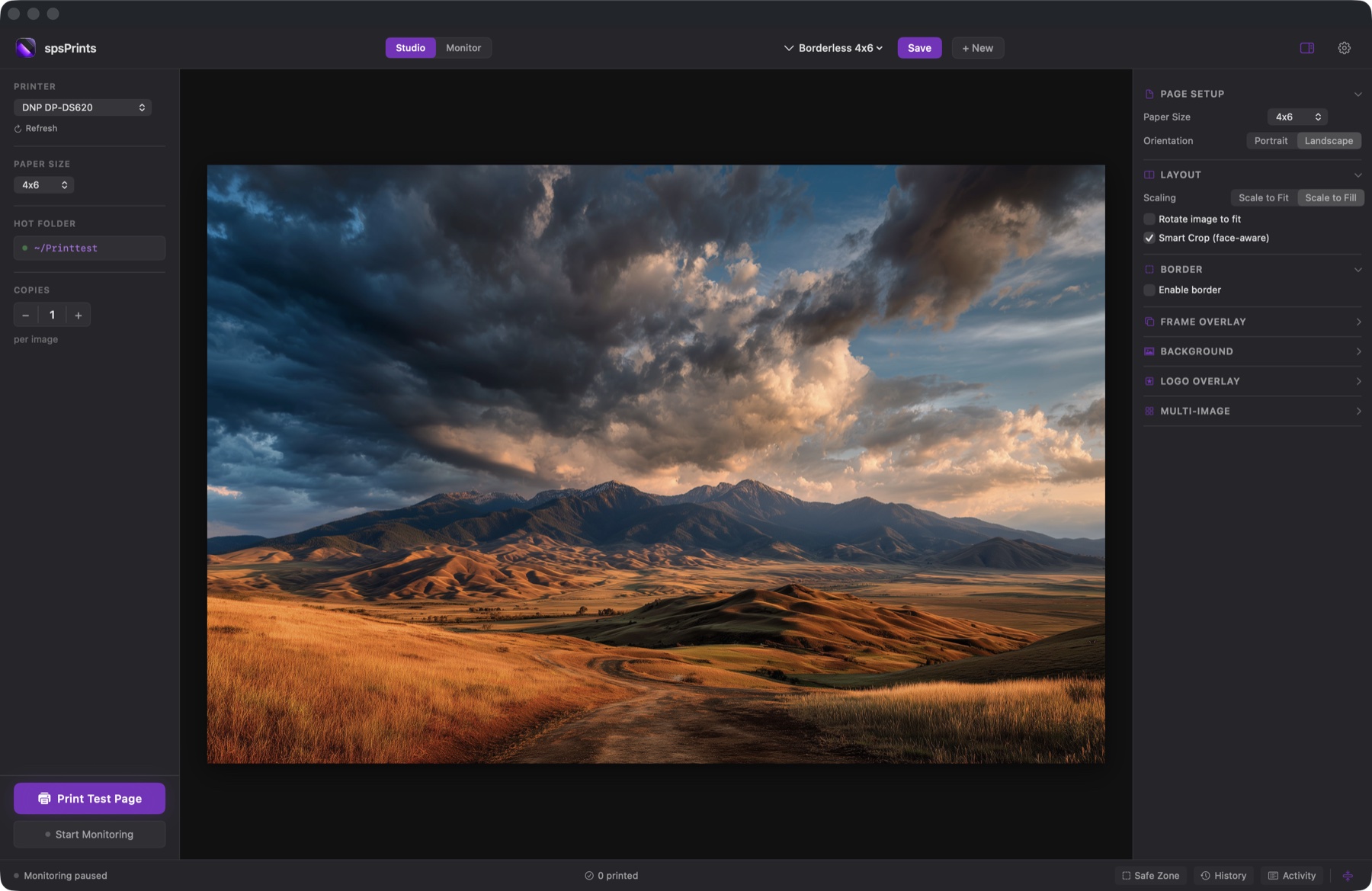
Set it up in minutes. PrintStation handles the rest.
Use the built-in editor to create your print layout. Choose a paper size, arrange photos, add borders and logos.
Point PrintStation at any folder on your Mac. It starts watching immediately for new images.
Drop a photo in the folder and it prints. From your camera, photo booth, or any workflow that saves files.
Try free for as long as you want. When you're ready to remove the watermark, a single in-app purchase unlocks PrintStation for good.
Pay once, use forever. Free updates included.
In-app purchase via Mac App Store. Refundable per Apple's standard policy.
Runs natively on Apple Silicon and Intel Macs.
Compatible with DNP, Mitsubishi, and other dye-sublimation printers.